
工作中的设计模式
具体常用的设计模式如下,不再过多的赘述,阿宝哥传送门:https://juejin.cn/post/6881384600758091784#heading-30
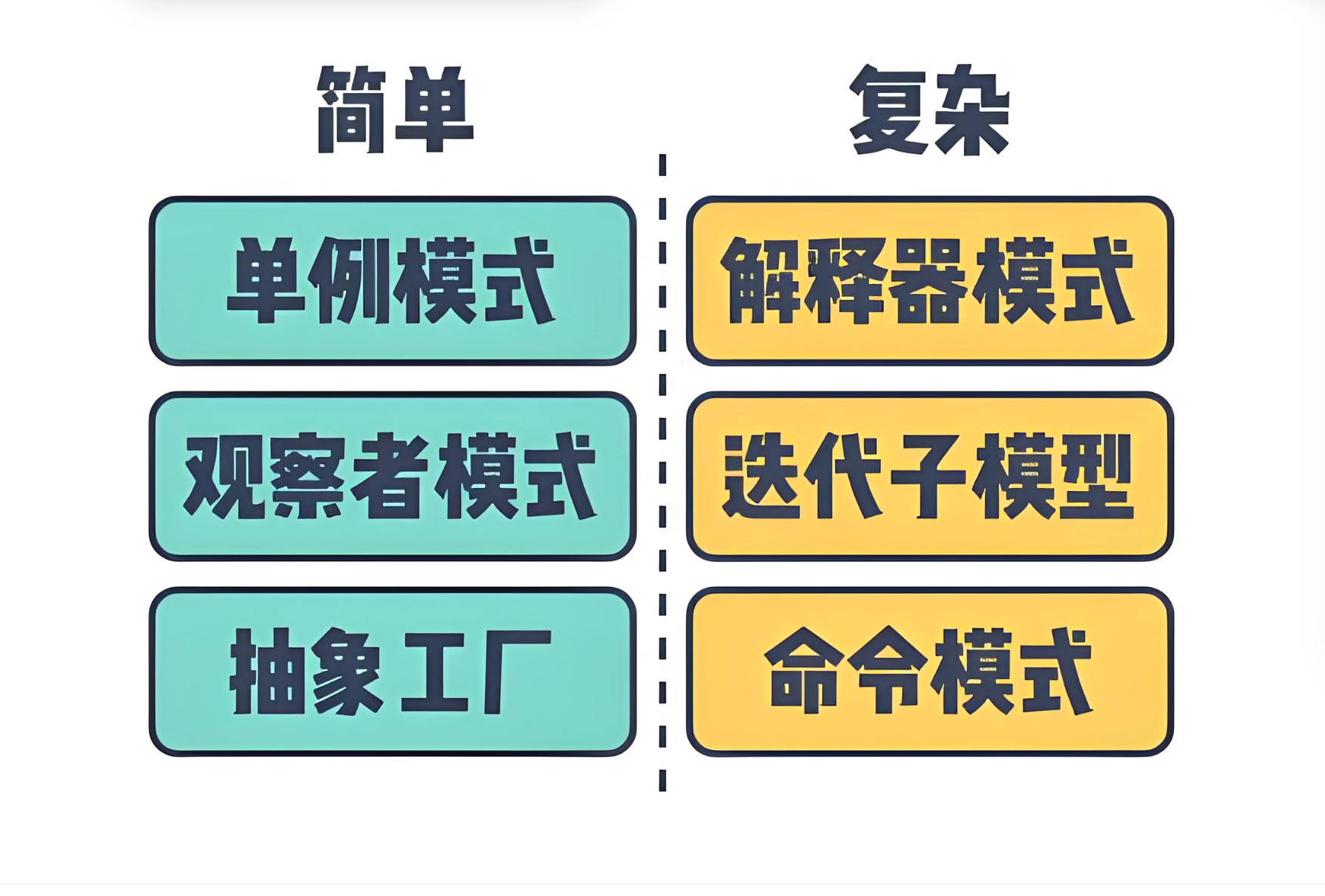
工作中并不都是if...else...,要写出高质量可维护抽象度高德代码常用的设计模式我们是必须知道的。我仅以工作中遇到的设计模式加以补充说明,用于我们更好的理解运用所谓的设计模式
单例模式
单例模式的定义是:保证一个类仅有一个实例,并提供一个访问它的全局访问点。如window对象,document对象
js
//  ES5的写法
const People = function (name) {
  this.name = name;
};

const Singleton = function (Obj) {
  let instance;
  Singleton = function () {
    if (instance) return instance;
    return (instance = new Obj(arguments));
  };
  return Singleton;
};
var peopleSingleton = Singleton(People);
const a = new peopleSingleton("a");
const b = new peopleSingleton("b");
console.log(a === b); // true

// ES6的写法
class People {
  constructor(name) {
    if (typeof People.instance === "object") {
      return People.instance;
    }
    People.instance = this;
    this.name = name;
    return this;
  }
}
const a = new People("a");
const b = new People("b");
console.log(a === b);
需要说明的是在module中 export new xx() 多个文件这样子引用,其实就是单例模式,大家共用一个稳推进。 那除了我们自己的项目,哪些第三方库也用到了单例模式。
axios库
js
   ...
   ...
   function createInstance(defaultConfig) {
      const context = new Axios(defaultConfig);
      const instance = bind(Axios.prototype.request, context);

      // Copy axios.prototype to instance
      utils.extend(instance, Axios.prototype, context, {allOwnKeys: true});

      // Copy context to instance
      utils.extend(instance, context, null, {allOwnKeys: true});

      // Factory for creating new instances
      instance.create = function create(instanceConfig) {
        return createInstance(mergeConfig(defaultConfig, instanceConfig));
      };

    return instance;
  }
  ...
  ...
export default axiosjs
import Vue from "./instance/index";
import { initGlobalAPI } from "./global-api/index";
import { isServerRendering } from "core/util/env";
import { FunctionalRenderContext } from "core/vdom/create-functional-component";

initGlobalAPI(Vue);

Object.defineProperty(Vue.prototype, "$isServer", {
  get: isServerRendering,
});

Object.defineProperty(Vue.prototype, "$ssrContext", {
  get() {
    /* istanbul ignore next */
    return this.$vnode && this.$vnode.ssrContext;
  },
});

// expose FunctionalRenderContext for ssr runtime helper installation
Object.defineProperty(Vue, "FunctionalRenderContext", {
  value: FunctionalRenderContext,
});

Vue.version = "__VERSION__";

export default Vue;代理模式
代理模式是为一个对象提供一个代用品或占位符,以便控制对它的访问。从而达到优化性能、缓存结果、保护对象的作用,譬如nginx服务器。
js
const mult = function () {
  var a = 1;
  for (let i = 0, l = arguments.length; i < l; i++) {
    a = a * arguments[i];
  }
  return a;
};
// mult(2, 3); // 输出:6
// mult(2, 3, 4); // 输出:24
// --------
const proxyMult = (function () {
  const cache = {};
  return function () {
    let id = Array.prototype.join.call(arguments, ",");
    if (cache[id]) {
      return cache[id];
    } else {
      return (cache[id] = mult.apply(this, arguments));
    }
  };
})();
proxyMult(2, 3); // 输出:6
proxyMult(2, 3); // 输出:6ts
 ...
 const loadImageAsync = (
  item: loadImageAsyncOption,
  resolve: Function,
  reject: Function
) => {
  let image: HTMLImageElement | null = new Image()
  if (!item || !item.src) {
    const err = new Error('image src is required')
    return reject(err)
  }

  if (item.cors) {
    image.crossOrigin = item.cors
  }

  image.src = item.src

  image.onload = function () {
    resolve({
      naturalHeight: image!.naturalHeight,
      naturalWidth: image!.naturalWidth,
      src: image!.src
    })
    image = null
  }

  image.onerror = function (e) {
    reject(e)
  }
}
...js
let childOb = !shallow && observe(val);
// 对 data中的数据进行深度遍历,给对象的每个属性添加响应式
Object.defineProperty(obj, key, {
  enumerable: true,
  configurable: true,
  get: function reactiveGetter() {
    const value = getter ? getter.call(obj) : val;
    if (Dep.target) {
      // 进行依赖收集
      dep.depend();
      if (childOb) {
        childOb.dep.depend();
        if (Array.isArray(value)) {
          // 是数组则需要对每一个成员都进行依赖收集,如果数组的成员还是数组,则递归。
          dependArray(value);
        }
      }
    }
    return value;
  },
  set: function reactiveSetter(newVal) {
    const value = getter ? getter.call(obj) : val;
    /* eslint-disable no-self-compare */
    if (newVal === value || (newVal !== newVal && value !== value)) {
      return;
    }
    /* eslint-enable no-self-compare */
    if (process.env.NODE_ENV !== "production" && customSetter) {
      customSetter();
    }
    if (getter && !setter) return;
    if (setter) {
      setter.call(obj, newVal);
    } else {
      val = newVal;
    }
    // 新的值需要重新进行observe,保证数据响应式
    childOb = !shallow && observe(newVal);
    // 将数据变化通知所有的观察者
    dep.notify();
  },
});
策略模式
定义一系列的算法,把它们一个个封装起来,并且使它们可以相互替换。将策略和环境类context分开来,利用组合、委托和多态等技术和思想,可以有效地避免多重条件选择语句。
js
const performanceS = function () {};
performanceS.prototype.calculate = function (salary) {
  return salary * 4;
};
const performanceA = function () {};
performanceA.prototype.calculate = function (salary) {
  return salary * 3;
};
const performanceB = function () {};
performanceB.prototype.calculate = function (salary) {
  return salary * 2;
};

//接下来定义奖金类Bonus:
class Bonus {
  constructor() {
    this.salary = null; // 原始工资
    this.strategy = null; // 绩效等级对应的策略对象
  }
  setSalary(salary) {
    this.salary = salary; // 设置员工的原始工资
  }
  setStrategy(strategy) {
    this.strategy = strategy; // 设置员工绩效等级对应的策略对象
  }
  getBonus() {
    // 取得奖金数额
    return this.strategy.calculate(this.salary); // 把计算奖金的操作委托给对应的策略对象
  }
}

const bonus = new Bonus();
bonus.setSalary(10000);

bonus.setStrategy(new performanceS()); // 设置策略对象
console.log(bonus.getBonus()); // 输出:40000
bonus.setStrategy(new performanceA()); // 设置策略对象
console.log(bonus.getBonus()); // 输出:30000js
              ? (typeof props === 'string'
            ? this.fields.filter(field => props === field.prop)
            : this.fields.filter(field => props.indexOf(field.prop) > -1)
          ) : this.fields;
        fields.forEach(field => {
          field.clearValidate();
        });
      },
      validate(callback) {
        if (!this.model) {
          console.warn('[Element Warn][Form]model is required for validate to work!');
          return;
        }
        let promise;
        // if no callback, return promise
        if (typeof callback !== 'function' && window.Promise) {
          promise = new window.Promise((resolve, reject) => {
            callback = function(valid, invalidFields) {
              valid ? resolve(valid) : reject(invalidFields);
            };
          });
        }
        let valid = true;
        let count = 0;
        // 如果需要验证的fields为空,调用验证时立刻返回callback
        if (this.fields.length === 0 && callback) {
          callback(true);
        }
        let invalidFields = {};
        this.fields.forEach(field => {
          field.validate('', (message, field) => {
            if (message) {
              valid = false;
            }
            invalidFields = objectAssign({}, invalidFields, field);
            if (typeof callback === 'function' && ++count === this.fields.length) {
              callback(valid, invalidFields);
            }
          });
        });
        if (promise) {
          return promise;
        }
      },
      validateField(props, cb) {
        props = [].concat(props);
        const fields = this.fields.filter(field => props.indexOf(field.prop) !== -1);
        if (!fields.length) {
          console.warn('[Element Warn]please pass correct props!');
          return;
        }
        fields.forEach(field => {
          field.validate('', cb);
        });
      }
装饰器模式
所谓装饰者模式,就是动态的给类或对象增加职责的设计模式。使代码结构更加清晰,符合敏捷开发的思想。
js
// 简单实现
function autopilotDecorator(target, key, descriptor) {
  const method = descriptor.value;

  descriptor.value = () => {
    method.apply(target);
    console.log("启动自动驾驶模式");
  };

  return descriptor;
}

class Car {
  @autopilotDecorator
  drive() {
    console.log("乞丐版");
  }
}

let car = new Car();
car.drive(); //乞丐版;启动自动驾驶模式;
针对vue2的vue-decorator-property库
js
import { Vue, Component, Prop } from 'vue-property-decorator'

@Component
export default class YourComponent extends Vue {
  @Prop(Number) readonly propA: number | undefined
  @Prop({ default: 'default value' }) readonly propB!: string
  @Prop([String, Boolean]) readonly propC: string | boolean | undefined
}
发布订阅模式
js
// 简单实现
interface Publisher {
  subscriber: string;
  data: any;
}

interface EventChannel {
  on : (subscriber: string, callback: () => void) => void;
  off : (subscriber: string, callback: () => void) => void;
  emit: (subscriber: string, data: any) => void;
}

interface Subscriber {
  subscriber: string;
  callback: () => void;
}

class ConcreteEventChannel implements EventChannel {
  // 初始化订阅者对象
  private subjects: { [key: string]: Function[] } = {};

  // 实现添加订阅事件
  public on(subscriber: string, callback: () => void): void {
    console.log(`收到订阅信息,订阅事件:${subscriber}`);
    if (!this.subjects[subscriber]) {
      this.subjects[subscriber] = [];
    }
    this.subjects[subscriber].push(callback);
  };

  // 实现取消订阅事件
  public off(subscriber: string, callback: () => void): void {
    console.log(`收到取消订阅请求,需要取消的订阅事件:${subscriber}`);
    if (callback === null) {
      this.subjects[subscriber] = [];
    } else {
      const index: number = this.subjects[subscriber].indexOf(callback);
      index !== -1 && this.subjects[subscriber].splice(index, 1);
    }
  };

  // 实现发布订阅事件
  public emit (subscriber: string, data = null): void {
    console.log(`收到发布者信息,执行订阅事件:${subscriber}`);
    this.subjects[subscriber].forEach(item => item(data));
  };
}

class ConcretePublisher implements Publisher {
  public subscriber: string = "";
  public data: any;
  constructor(subscriber: string, data: any) {
    this.subscriber = subscriber;
    this.data = data;
  }
}

class ConcreteSubscriber implements Subscriber {
  public subscriber: string = "";
  constructor(subscriber: string, callback: () => void) {
    this.subscriber = subscriber;
    this.callback = callback;
  }
  public callback(): void { };
}

/* 运行示例 */
const mumiao = new ConcreteSubscriber(
  "running",
  () => {
    console.log("订阅者 mumiao 订阅事件成功!执行回调~");
  }
);

const zhenglin = new ConcreteSubscriber(
  "swimming",
  () => {
    console.log("订阅者 zhenglin 订阅事件成功!执行回调~");
  }
);

const pual = new ConcretePublisher(
  "swimming",
  {message: "pual 发布消息~"}
);

const eventBus = new ConcreteEventChannel();
// 注册订阅事件
eventBus.on(mumiao.subscriber, pingan8787.callback);
eventBus.on(zhenglin.subscriber, leo.callback);
// 派发事件
eventBus.emit(pual.subscriber, pual.data);
eventBus.off (mumiao.subscriber, lisa.callback);ts
function subscribe(listener: () => void) {
  if (typeof listener !== "function") {
    throw new Error(
      `Expected the listener to be a function. Instead, received: '${kindOf(
        listener,
      )}'`,
    );
  }

  if (isDispatching) {
    throw new Error(
      "You may not call store.subscribe() while the reducer is executing. " +
        "If you would like to be notified after the store has been updated, subscribe from a " +
        "component and invoke store.getState() in the callback to access the latest state. " +
        "See https://redux.js.org/api/store#subscribelistener for more details.",
    );
  }

  let isSubscribed = true;

  ensureCanMutateNextListeners();
  nextListeners.push(listener);

  return function unsubscribe() {
    if (!isSubscribed) {
      return;
    }

    if (isDispatching) {
      throw new Error(
        "You may not unsubscribe from a store listener while the reducer is executing. " +
          "See https://redux.js.org/api/store#subscribelistener for more details.",
      );
    }

    isSubscribed = false;

    ensureCanMutateNextListeners();
    const index = nextListeners.indexOf(listener);
    nextListeners.splice(index, 1);
    currentListeners = null;
  };
}ts
export function getMicroAppStateActions(
  id: string,
  isMaster?: boolean,
): MicroAppStateActions {
  return {
    /**
     * onGlobalStateChange 全局依赖监听
     *
     * 收集 setState 时所需要触发的依赖
     *
     * 限制条件:每个子应用只有一个激活状态的全局监听,新监听覆盖旧监听,若只是监听部分属性,请使用 onGlobalStateChange
     *
     * 这么设计是为了减少全局监听滥用导致的内存爆炸
     *
     * 依赖数据结构为:
     * {
     *   {id}: callback
     * }
     *
     * @param callback
     * @param fireImmediately
     */
    onGlobalStateChange(
      callback: OnGlobalStateChangeCallback,
      fireImmediately?: boolean,
    ) {
      if (!(callback instanceof Function)) {
        console.error("[qiankun] callback must be function!");
        return;
      }
      if (deps[id]) {
        console.warn(
          `[qiankun] '${id}' global listener already exists before this, new listener will overwrite it.`,
        );
      }
      deps[id] = callback;
      if (fireImmediately) {
        const cloneState = cloneDeep(globalState);
        callback(cloneState, cloneState);
      }
    },

    /**
     * setGlobalState 更新 store 数据
     *
     * 1. 对输入 state 的第一层属性做校验,只有初始化时声明过的第一层(bucket)属性才会被更改
     * 2. 修改 store 并触发全局监听
     *
     * @param state
     */
    setGlobalState(state: Record<string, any> = {}) {
      if (state === globalState) {
        console.warn("[qiankun] state has not changed!");
        return false;
      }

      const changeKeys: string[] = [];
      const prevGlobalState = cloneDeep(globalState);
      globalState = cloneDeep(
        Object.keys(state).reduce((_globalState, changeKey) => {
          if (isMaster || _globalState.hasOwnProperty(changeKey)) {
            changeKeys.push(changeKey);
            return Object.assign(_globalState, {
              [changeKey]: state[changeKey],
            });
          }
          console.warn(
            `[qiankun] '${changeKey}' not declared when init state!`,
          );
          return _globalState;
        }, globalState),
      );
      if (changeKeys.length === 0) {
        console.warn("[qiankun] state has not changed!");
        return false;
      }
      emitGlobal(globalState, prevGlobalState);
      return true;
    },

    // 注销该应用下的依赖
    offGlobalStateChange() {
      delete deps[id];
      return true;
    },
  };
}
适配器模式
用一个对象对另一个对象的包装,使得调用的双方调用结构一致。
js
class GooleMap {
  show() {
    console.log("渲染谷歌地图");
  }
}

class BaiduMap {
  display() {
    console.log("渲染百度地图");
  }
}

// 定义适配器类, 对BaiduMap类进行封装
class BaiduMapAdapter {
  show() {
    var baiduMap = new BaiduMap();
    return baiduMap.display();
  }
}

function render(map) {
  if (map.show instanceof Function) {
    map.show();
  }
}

render(new GooleMap()); // 渲染谷歌地图
render(new BaiduMapAdapter()); // 渲染百度地图
接入qq、微博、微信三方登录时可以用到。
java开箱即用的整合第三方登录的开源组件justauth